
REQUIRED TOOLS
PROCEDURE
- Access the service menu
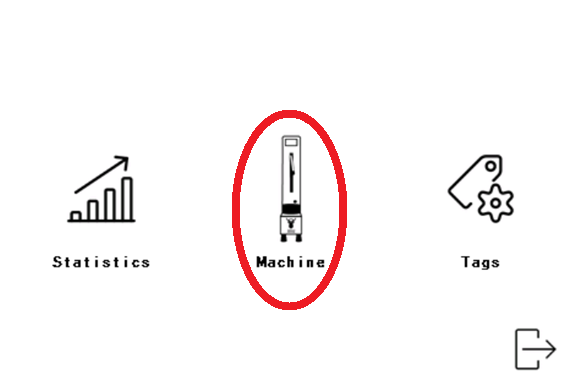
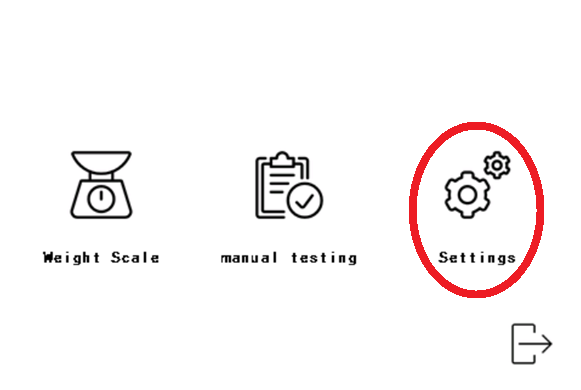
- Go into the 'Service', 'Machine' and 'Settings'

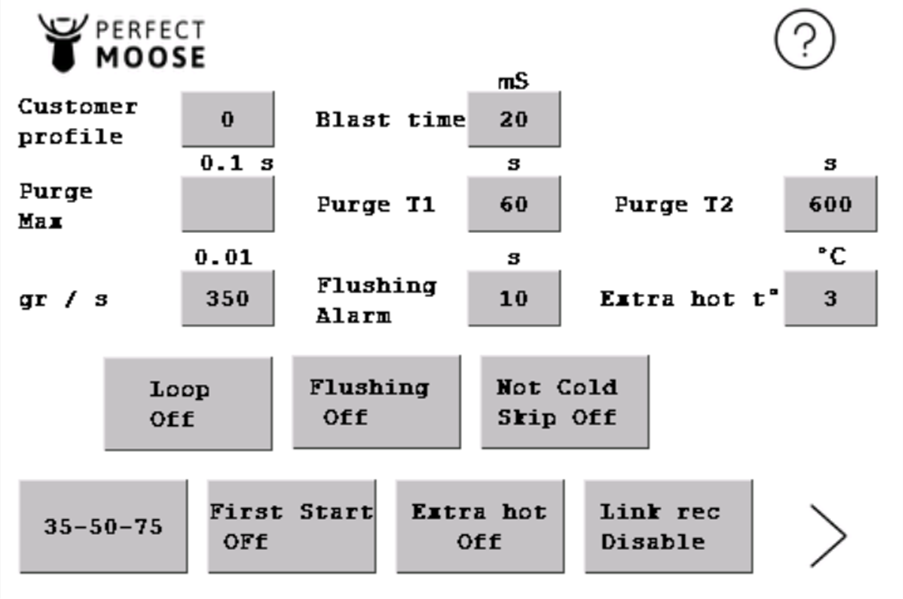
| Parameter | Default setting |
| Customer profile | 0 |
| Blast time | 20 |
| Purge T1 | 60 |
| Purge T2 | 600 |
| gr/s | 350 |
| Flushing alarm | 10 |
| Extra hot t° | 3 |
- Customer profile defines which recipe-selection the Perfect Moose shows while adjusting the texture and temperature of frothed mi*lk of a pitcher. The selection is defined by the link-files on the µSD-card .
- Blast time is the length in time that a Perfect Moose will flush steam through the steam wand after a steaming cycle. During the first start procedure you can set the flush to automatically or manually.
- AUTO - A quick burst of steam will come out of the steam wand when it reaches the top after a steaming cycle.
- MANUAL - A quick burst of steam will come out of the steam wand after taking the pitcher of the pitcher holder after a steaming cycle and pressing on the touchscreen.
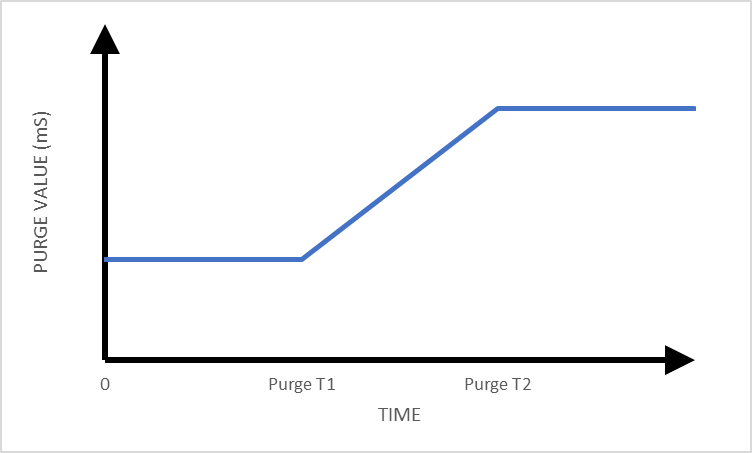
- Purge Max is the length in time that is needed to purge out the condensation water when the hoses are full with condensation water. A Perfect Moose will purge out the condensation water from the hoses before it start a steaming-cycle, this happens while the steam wand is moving downwards.
A Perfect Moose will always calculate the time needed to purge out the collected condensation water. When a Perfect Moose Greg hasn't been used for longer then 10minutes (> Purge T2) a lot of condensation water will be present in the hoses, then it will need to purge for the maximum length in time (= Purge max) before starting the next steaming-cycle. When a Perfect Moose just has done a steaming-cycle (< Purge T1) and starts a new steaming-cycle, then there will only be a little bit of condensation water collected in the hoses. which results in a steam wand moving downwards faster before starting a new steaming-cycle, because there was less condensation water collected in the hoses.
Less cooling down time = less condensation water = faster functioning of the Perfect Moose
- Purge Max is calculated during the first start procedure. This parameter must be higher than 0 seconds.
- Purge T1 = 60 seconds
- Purge T2 = 600 seconds
- gr/s (gram per second) is a parameter used to check the weight increase during a steaming cycle. The Perfect Moose will show an error code on the screen if the weight increase is higher than 3.50gr/s during a steaming cycle.
- Flushing alarm is the delay in time that an alarm will sound after a steaming cycle if the steam wand isn't flushed out.
- "Extra hot"-feature gives the option to increase the temperature of the frothed mi*lk that is programmed on a pitcher for 1 steaming cycle. The temperature increase is maximum 5°C on top of the temperature that is programmed on the pitcher.
- "Loop"-feature is only used in production to test the functions of the Perfect Moose.
- "Flushing"-feature must be set on, don't set this to off.
- "Cold skip"-feature gives the option to overrule the error when the liquid is too warm to start a steaming-cycle.
- YES - Possible to overrule the maximum allowed starting temperature of the liquid.
- NO - Overruling the maximum allowed starting temperature of the liquid is locked.
- 30-50-75 or 50-75-100
- "First start"-button can be used to force a new first-start-procedure. To force a new first-start click on the button until it reads on, exit the menu completely and switch off the Perfect Moose. When switching on the Perfect Moose will enter the first-start-menu.
- "Extra hot"-button gives the option to adjust the temperature for 1 steaming cycle.
- ON - Click the extra-hot-button on the home-screen before placing the pitcher on the pitcher holder.
- OFF - Not able to adjust the temperature for 1 steaming cycle.
- "Link recipe by user"-feature gives the option to adjust the texture and temperature of the frothed mi*lk.
- ENABLE - Possible to change the texture and temperature of the frothed mi*lk by placing an empty pitcher on the pitcher holder and clicking "Adjust recipe".
- DISABLE - Changing the texture and temperature of the frothed mi*lk is locked.
 Don't have a RFID key fob to enter the service menu?
Install the authenticator app and add the Perfect Moose account to the app. Check the manual on how to access the service menu.